 Blog details


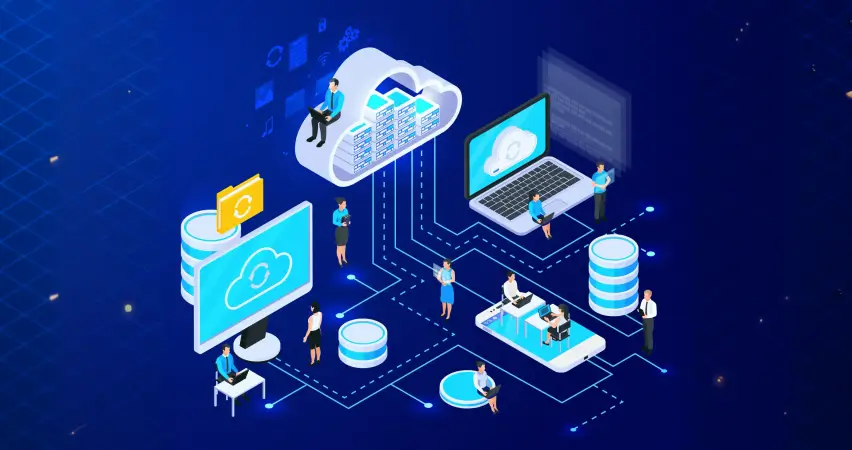

In today’s digital-first economy, businesses must be fast, flexible, and cost-efficient to stay competitive. Traditional IT infrastructure often creates limitations due to high hardware costs, ongoing maintenance, and limited scalability. This is where cloud computing for business becomes a transformative solution.
But what is cloud computing, and why are organizations of all sizes moving toward cloud-based systems?
Businesses looking to implement secure and scalable cloud solutions can partner with iSky9’s cloud computing experts to ensure smooth deployment and long-term performance.
What Is Cloud Computing?
Cloud computing is the delivery of servers, storage, software, and other IT services over the internet instead of using physical hardware in your office. Businesses access cloud services online and pay only for what they use.
In simple terms, cloud computing for business allows companies to store data and run applications on secure remote servers, reducing costs and improving flexibility.
How Does Cloud Computing Work?
Cloud computing works through remote data centers that store and process data online. Businesses access applications and files through the internet instead of using local servers.
The cloud provider manages maintenance, updates, and security, while companies simply use the service. This setup allows businesses to scale resources instantly without buying new hardware.
Types of Cloud Computing Services
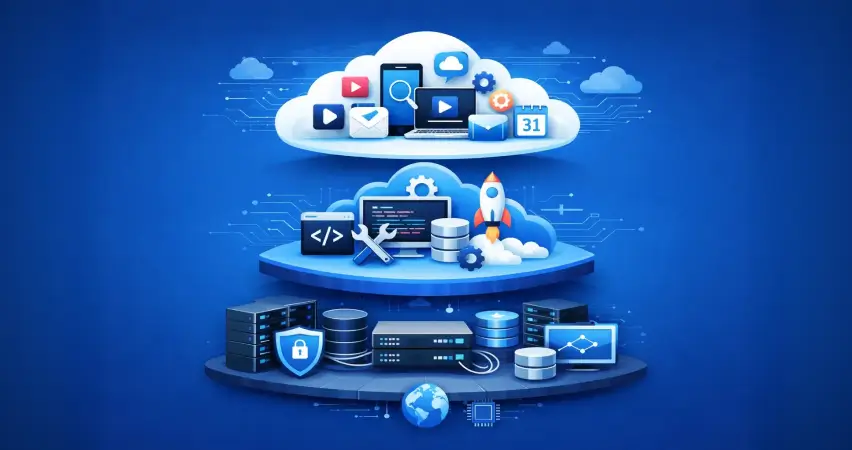
Understanding the types of cloud computing services (SaaS, IaaS, PaaS) helps businesses choose the right model for their needs.
Infrastructure as a Service (IaaS)
Infrastructure as a Service (IaaS) provides virtualized computing resources such as servers, storage, and networking. It offers businesses control over their systems without the responsibility of maintaining physical equipment.
Platform as a Service (PaaS)
Platform as a Service (PaaS) provides a cloud-based development environment. It is ideal for software companies that want to build, test, and deploy applications efficiently without managing infrastructure.
Software as a Service (SaaS)
Software as a Service (SaaS) delivers ready-to-use applications over the internet. Businesses commonly use SaaS for email systems, customer relationship management (CRM), accounting tools, and collaboration platforms.
Each model serves different business goals, but all contribute to improved flexibility and cost savings.
Public vs Private Cloud vs Hybrid Cloud
Businesses choose between public, private, and hybrid cloud models based on control, security, and scalability requirements. Each model serves different operational needs.
| Feature | Public Cloud | Private Cloud | Hybrid Cloud |
| Infrastructure | Shared with multiple users | Dedicated to one organization | Combination of public & private |
| Cost | Lower cost | Higher cost | Moderate / flexible |
| Control | Limited customization | High control | Balanced control |
| Security | Standard provider security | Enhanced customization & compliance | Flexible security structure |
| Scalability | Highly scalable | Scalable but limited to internal resources | Highly flexible |
| Best For | Startups & small businesses | Enterprises with strict compliance | Growing businesses needing flexibility |
Cloud Computing Benefits for Businesses
Businesses adopt cloud computing for business because it reduces costs, improves flexibility, and enhances security. Cloud solutions help companies operate efficiently while supporting growth and innovation.
Cost Savings with Cloud Computing
Cloud computing reduces the need for expensive hardware, maintenance, and IT staff. With a pay-as-you-go model, businesses only pay for the resources they use, making it a cost-effective solution.
Scalability and Flexibility
Cloud scalability allows businesses to increase or decrease resources instantly. This ensures smooth performance during high traffic or business expansion without investing in new infrastructure.
Improved Collaboration
Cloud platforms enable teams to access data from anywhere, share files in real time, and work remotely. This improves productivity and communication across the organization.
Automatic Updates and Maintenance
Cloud providers handle software updates, security patches, and system maintenance automatically. This reduces IT workload and keeps systems secure and up to date.
Enhanced Security
Cloud security includes data encryption, multi-factor authentication, and disaster recovery systems. Many providers invest heavily in cybersecurity, offering strong protection for business data.
As John Chambers stated:
There are two types of companies: those that have been hacked and those that will be. Cloud security is no longer optional – it’s essential.
Cloud vs Traditional IT Systems
When comparing cloud vs traditional IT systems, the operational differences become clear. Cloud computing offers a modern, scalable, and cost-effective approach, while traditional IT relies heavily on physical infrastructure.
| Feature | Traditional IT Systems | Cloud Computing |
| Upfront Cost | High capital investment | Low initial cost |
| Maintenance | In-house IT team required | Managed by provider |
| Scalability | Slow and hardware-dependent | Instant scalability |
| Updates | Manual updates | Automatic updates |
| Deployment Speed | Weeks or months | Minutes or hours |
| Disaster Recovery | Complex & costly | Built-in backup solutions |
| Flexibility | Limited | Highly flexible |
Cloud Migration Services
Transitioning to the cloud requires careful planning. iSky9 provides secure cloud migration services tailored to business needs.
The migration process typically involves assessing current systems, selecting appropriate cloud solutions, transferring data securely, and testing performance. Proper planning reduces downtime and ensures compliance with security standards.
Why Businesses Use Cloud Computing
Businesses adopt cloud computing because it offers flexibility, innovation, cost control, and scalability. It allows organizations to respond quickly to market changes while reducing infrastructure burden.
Cloud computing trends 2026 show continued growth in hybrid models, automation, AI integration, and enhanced cybersecurity investments. Companies that invest in cloud technology today position themselves for long-term success.
Best Cloud Service Providers
Some globally recognized providers include:
- Amazon Web Services (AWS)
- Microsoft Azure
- Google Cloud Platform
Each offers scalable infrastructure, security compliance, and global data centers. Selecting the right provider depends on business size, budget, and technical requirements.
Ready to Move to the Cloud?
If your business is planning to adopt cloud computing, iSky9 offers customized cloud computing solutions designed for scalability, security, and performance. Our team helps businesses migrate, manage, and optimize cloud infrastructure with confidence.
iSky9 offers customized cloud computing solutions.